Different options for messages and forms in the inbox
More options
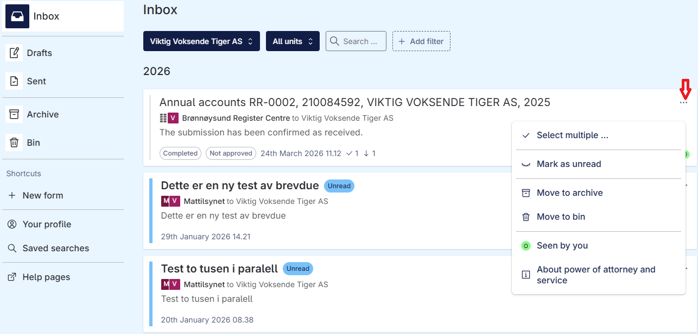
Messages and forms in your inbox have different options.
Before you go into the message/form, you can click on the three dots in the top right corner and see the different options.
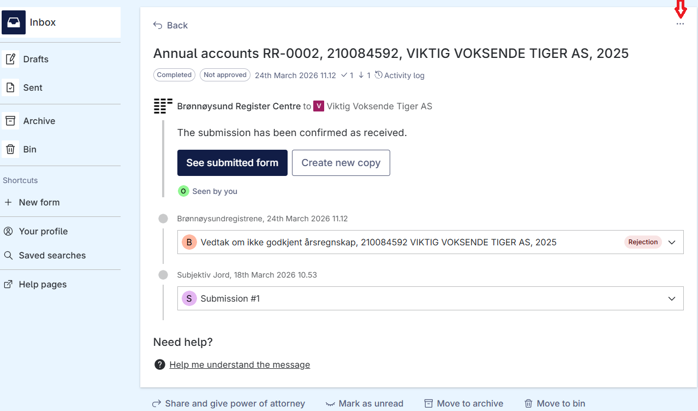
 You get other options when you click into the message or form dialog.
Share and grant power of attorney in the inbox
In the Altinn inbox you can grant another person power of attorney for one specific message or form. You typically do this if you need help from a colleague or accountant with one specific case. The person will then receive power of attorney for the item you share, and can follow up on your behalf or on behalf of the organisation.
Log in to your Altinn inbox.
Open the message or form you want to share.
Select Share and give power of attorney under the open message.
Find the person you want to give power of attorney to in the list and click Give power of attorney.
If you cannot find the person you want to give power of attorney to, select New user and enter the details of the person who should receive the power of attorney.
Select multiple items in your inbox
By selecting the function Select Multiple , you can move multiple messages/forms to the archive or the bin. You can mark as unread.
How to do it
Select the right party
Go to Menu and select Inbox
Click on the three dots you see at the top right of the message/form
Select multiple
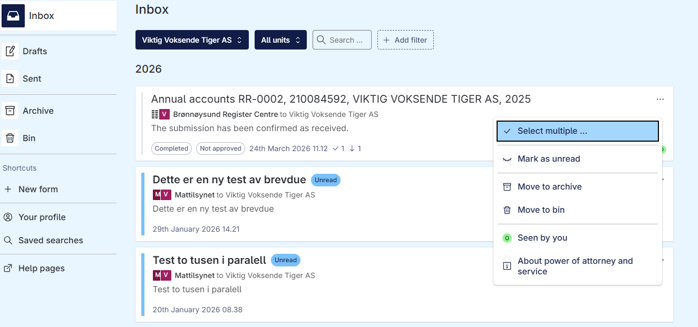
Mark the boxes you want to use
Then choose whether you want to mark them as unread, move them to the archive or the bin.
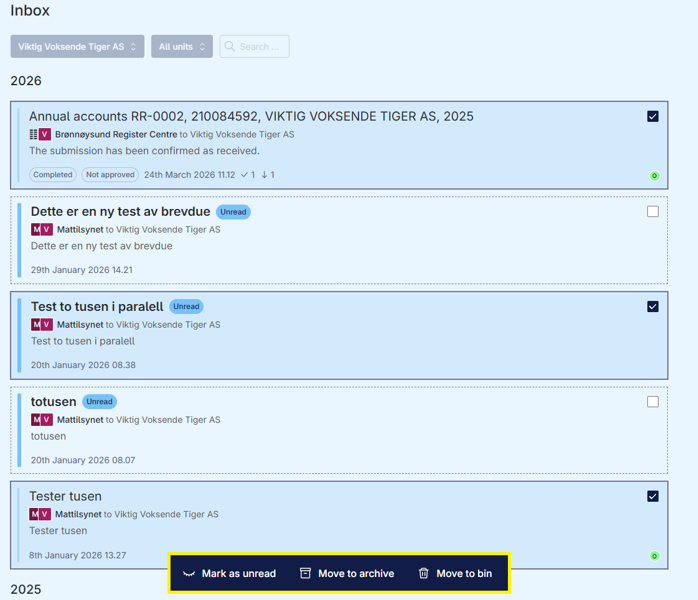
You can undo what you have moved to the archive or the bin by doing the same process in the archive/bin folder.
What access is required?
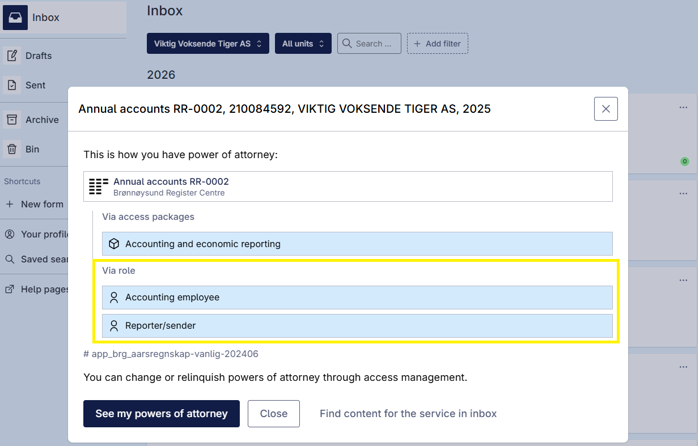
By selecting About power of attorney and service, you can see what access is required to view the letter or fill out a form. If you do not have access to view the letter or form yourself, the General manager/Chair of the board, for example, click on the About power of attorney and service to find out exactly what access you need.
How to do it
Select the right party
Go to Menu and select Inbox
Click on the three dots you see at the top right of the message/form
Select About power of attorney and service
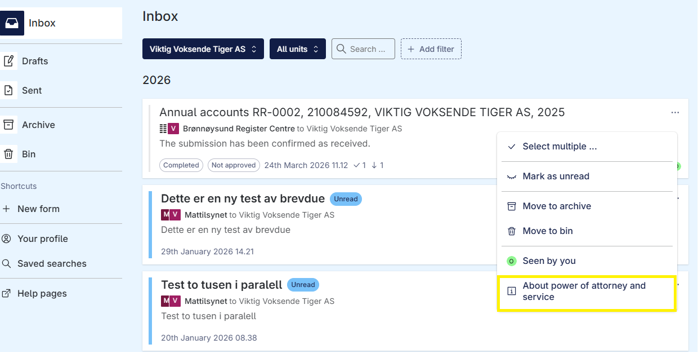
Which single service provides access
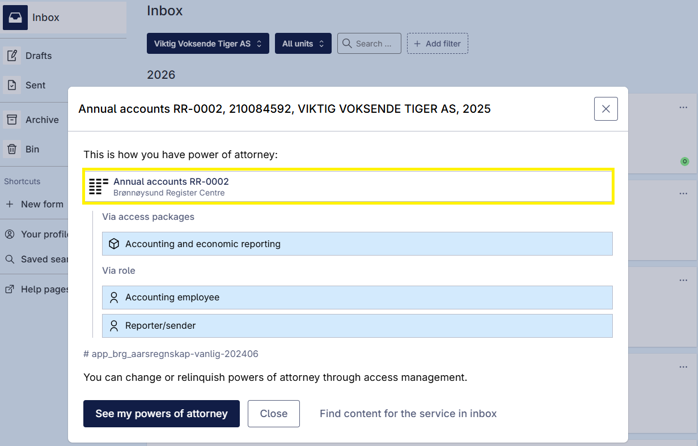
The access package providing access. Please note: An access package contains more services than you may need.
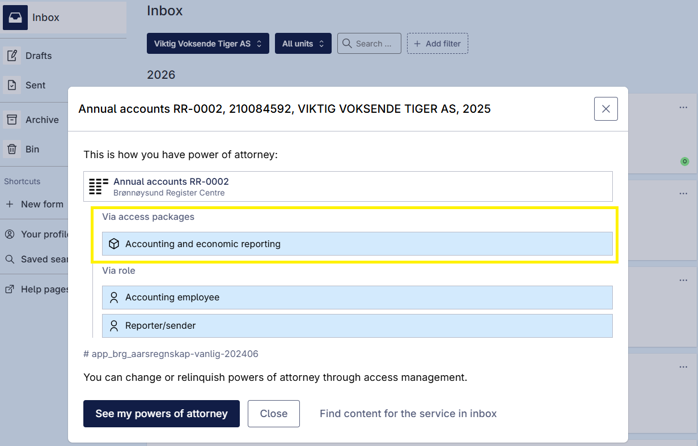
The role that grants access. The roles are taken from the old Altinn and can no longer be delegated in the new solution.